0
STILL DECIDING? WE CAN HELP 800-708-0087
STILL DECIDING? WE CAN HELP 800-708-0087
ITS SATURDAY! WE ARE OPEN — CALL NOW 800-708-0087

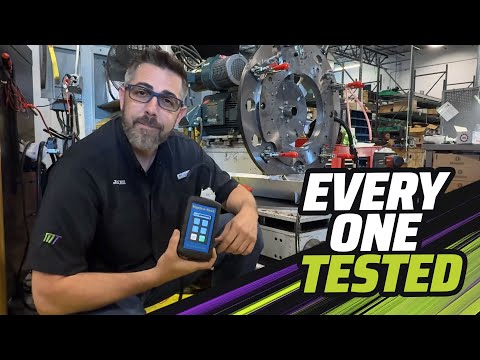
How to Use the Monster RTD Tool (Remote Tuning Device)
This quick walkthrough shows how to use the Monster RTD the right way:
READ your factory file before removal, then WRITE the updated file after your new transmission is installed.
No laptop required — just your phone and the RTD.
Video Walkthrough (Highlights + Steps)
[00:00] What the Monster RTD Does
The Monster RTD plugs into your vehicle’s OBD-II port and works with your phone to capture your current file and then write the updated file back after your new transmission is installed.
[00:25] Before You Start (Do This First)
Set yourself up for a clean read/write:
- Use a battery charger/maintainer during the process (stable voltage matters).
- Make sure your phone has good signal/Wi-Fi if the app needs to upload/download files.
- Key position matters — follow the on-screen prompts in the RTD app.
[00:55] Step 1 — Plug In & Connect
Plug the RTD into the OBD-II port, open the RTD app on your phone, and connect. No invite code required — Monster devices are pre-assigned and auto-link when plugged in.
[01:25] Step 2 — READ Your File (Before Removal)
This is the most important step: READ your current file before you remove the old transmission. Let the read complete fully — do not interrupt power during the process.
[01:55] Step 3 — Install the Transmission
Install your new transmission, re-check connectors/grounds, fill fluid, and get everything ready to write the updated file. Your vehicle may not start/drive correctly until the write is completed.
[02:20] Step 4 — WRITE the Updated File (After Install)
Once you receive the updated file in the app, select it and perform a Full Write (often triggered by a long press / hold action in the app). Do not unplug or cycle power mid-write.
[02:55] Quick Fitment Note (Credits)
Make sure you’re using the correct RTD version for your vehicle:
- 2007–2016 typically uses the 2-credit RTD.
- 2017+ typically uses the 4-credit RTD.
[03:20] Best Practices (Avoid Headaches)
- Keep voltage stable the entire time (charger recommended).
- Don’t rush the read/write screens — wait for the “success” confirmation.
- If something looks off, stop and contact Monster before repeating writes.